Buy YouTube views
Views for the video indicated; does not include likes or subscribers.
Example for 100 views- High quality: 2,58 €
- Premium: 3,74 €
- VIP: 5,03 €
Choose what you need: plays for a video, likes for that content or subscribers for the channel. Compare the destination and options of each service and review the amount before ordering.
No password. Check availability for the quantity and tier you need before paying.
Cards ask the price for an example quantity. Open the tab to choose yours and check the total: the catalogue alone does not confirm that all options are available.
Views for the video indicated; does not include likes or subscribers.
Example for 100 views Likes for one specific video. You can order video views separately.
Example for 100 likes
Subscribers for the channel; check availability before choosing quantity.
Example for 100 subscribersA price is unavailable for this quantity. Open the service page to check your selection before continuing.
View service and check availabilityThe amounts correspond to each example separately. The cart confirms the total of your items; you do not need to combine services to order one of them.
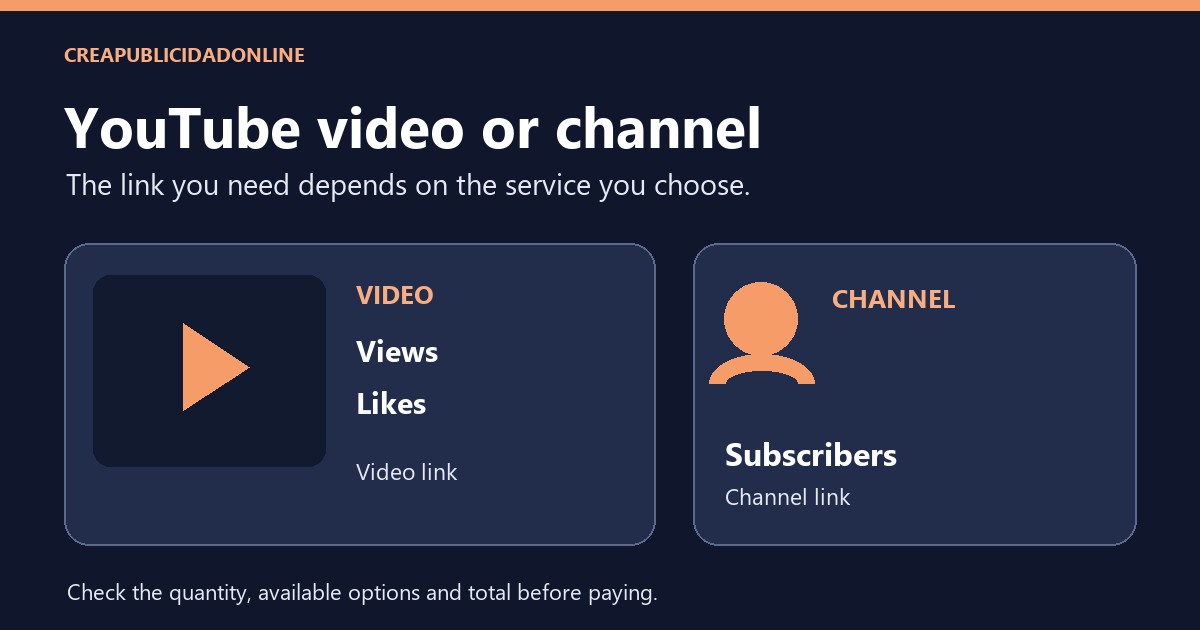
Start with what you want to measure. Views and likes apply to a specific video you have published. Subscribers belong to the channel. Each metric is ordered separately. An increase in one count does not show that the audience for your content has grown.
| Service | Target | What to check |
|---|---|---|
| Views, visits or views | The video you indicate. | Link, compatible format and quantity. It does not amount to single viewers or valid hours. |
| Likes | A particular video. | The piece and the number of likes. Does not include views, comments or subscribers. |
| Subscribers | The channel. | Availability and quantity. It does not include an audience from a given country, sales or monetization. |
‘Visits’, ‘visualisations’ and ‘views’ are often used when searching for views. Here you can. consult YouTube views on the same service page. Before ordering for a Short, premiere or broadcast, check that your link and format are supported. A view request should not be confused with viewers connected to a live stream.
If you want to order views for that piece, prepare your link and check the service page options. Check the title, channel and image of the video before adding it. You don't need to buy subscribers or likes to complete that order. If your real goal is to receive visits to a store or get budget requests, define how you will measure those actions: a view count does not credit them.
Open the likes options for YouTube and check the amount for that link. Do not calculate likes from views as if there were a mandatory proportion. Each content has a different response and combining metrics does not guarantee YouTube recommendations. Choose what you need to order and for your budget, not to try to play a percentage of the figure.
Check the subscribers and their availability. If there is no price for your selection, check availability before ordering. Video views do not replace channel subscribers. A tier name does not promise followers from Spain, buyers for your product or regular viewers. Check that the service explicitly includes any feature you need.
Compare the same metric, quantity and number of destinations. Examples of the catalogue allow you to see options for a specific quantity; they are not a fixed price per thousand or the amount of any order. Enter the service page, change the amount and choose from the priced tiers. High quality, Premium and VIP do not set up on their own an exact country, view time or delivery time.
If you prepare several items, check each. For example, 300 plays distributed as 100 + 200 in two videos That's 300 in total. Writing 300 on each video is 600. This example explains the distribution of units, not a purchase recommendation. The joint amount must be checked in the cart: it is not deducted by multiplying the price of a card or by adding different quantities.
If you need a date for a premiere, check the feasibility before paying. Confirming a payment and starting delivery are different stages. A date of publication, a quoted amount or a more expensive tier do not constitute a promise of immediate commencement. It retains the conditions of the chosen option and the details of each item.
Do not share passwords, verification codes or channel management permissions. Keep the destination accessible during delivery. If you have already paid and an error arises, check the order from your account or contact support with your reference. Don't buy again to try to unlock a item that is still being reviewed.
Ordering a quantity does not guarantee positioning in searches, appearance in recommendations, sales or monetization. YouTube explains that does not allow artificially increasing interactions and may remove content or channels for non-compliance. Not needing your password does not mean that the platform approves the service or eliminates those risks.
The public accountant, YouTube Studio metrics and income requirements are not interchangeable. YouTube check and adjust the counts. If you notice a variation, note the date and destination and check the item. Don't attribute the entire video activity to a purchase: there may also be organic views, advertising or other orders.
If you are looking for a budget and segmentation advertising campaign, review that need separately. This catalog offers the metrics described in your service pages, not the management of YouTube Ads. Likewise, do not buy amounts assuming that they will be valid hours for the Partners Program. Value your campaign for the actions you can check, such as queries or assigned purchases, in addition to their accountants.
For deadlines, guarantees or incidents, consult the conditions of purchase and retains the information of the service ordered. Refill is reviewed in accordance with these conditions; it is not unlimited coverage or a promise to recover any variation of the channel.
For views, open the video views page and have the video link ready. For likes, use the likes page. Subscribers belong to the channel. Each metric is sold separately and does not guarantee an interested audience or sales.
They are examples consulted for the quantity shown on each card and for the tiers that show a price. Choose your quantity and tier on the tab and then check the items and the total of the cart. Don't add up the examples as if they were a combined package fee.
The example card has no confirmed price for that quantity. Open the service page and check your selection. Continue only once the form shows a price. Likes and views do not add subscribers.
We do not ask for passwords, verification codes or administrator permissions. Prepare the public destination and confirm that the video or channel is correct. If the link fails, check it before paying; don't share your credentials to try to solve it.
It's not a YouTube Ads campaign or advertising targeting. Nor does it guarantee valid hours, access to the Partners Program, recommendations or income. Check your recognized results separately on YouTube Studio and the platform's policies.
Save the order reference, purchase email, link to each item and its quantities. If there is a change in the counter, add catch with date. Support will review the delivery and terms and conditions ordered; wait for that review before paying for a duplicate order.